Solution Sheet · Print Publisher for Product MDM

Drive agility by integrating product information with content creation using Print Publisher

Tighter deadlines and budgets, and the ever-growing need for diverse marketing, packaging, labeling and product support materials are putting increased pressure on already stressed publishing resources. Marketing and design professionals often struggle to find the right images, product copy and pricing, leading to additional proofing, last-minute edits, increased errors and cost overruns. 

To overcome these challenges, organizations must take a holistic approach that addresses the entire production process, from concept through delivery of approved materials and content. By doing so, they can improve efficiency and agility while boosting creativity.

An integrated approach to creating content 

Stibo Systems Product Experience Data Cloud includes an integrated Print Publisher solution to drive success in this environment. The built-in toolset enables improved content reuse and collaboration through a controlled workflow environment where data and imagery flow directly from a single, centralized source of truth. 

In addition to streamlining communication of plans, proofs and corrections, it also increases quality and accuracy by automating repetitive, error-prone tasks. Print Publisher improves productivity by allowing teams to spend more time on design and less on correcting errors, which ultimately contributes to the delivery and achievement of superior business outcomes. 

Print Publisher at a glance

As competition demands faster time-to-market for products and for associated creative materials, there’s no time to waste, or room for error. Teams need an easy, seamless way to review and manage print content and assets, and to quickly turn them around for distribution. Print Publisher enables improved content reuse, publishing automation and collaboration between teams through a controlled workflow-based environment.

Features and functionality

Integration with common graphics tools

Create a seamless integration between Product Experience Data Cloud and Adobe InDesign CC, enhancing its functionality by delivering approved content and automating repetitive tasks and layout consistency.

Visual editors

Provide consistent design and accelerate page layout with reusable templates to format images, logos and copy. Drag and drop elements directly to pages and automate style guides and content formatting so you can focus more on design and layout.

Automated versioning

Streamline production of multiple versions within a single document, reducing the complexity and risk of creating multiple language and currency versions of pages.

Key benefits of Print Publisher

Streamline processes

Enable teams to find the right images, product information, copy and prices and improve processes that govern their use

Increase quality and accuracy

Automate repetitive, error-prone tasks, including price updates and last-minute edits, and govern, track and report on progress to meet deadlines

Foster creativity

Allow more time to be spent on design and layout and less time correcting errors

Drive efficiency and agility

Automate layouts, repurpose content and automatically update product information to speed and reduce cost of producing catalogs, brochures, point-of-sale and signage

Enable collaboration

Streamline communication of plans, proofs and corrections between teams and agencies and maintain tight control over the revision process

Flatplanner

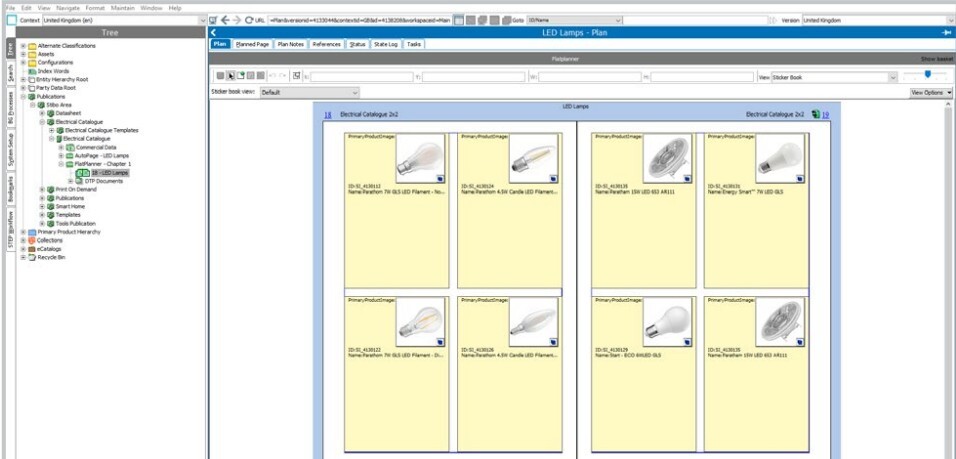
Enable users to create a plan for a page or spread using a digital white board. Content can be dragged and dropped onto the plan and into position in the allocated space. InDesign Server automatically generates a preview of the page for review. It also incorporates an analytics component that can display sales data and statistics, space and calculated information around sales effectiveness of printed publications. 

flatpanner
Flatplanner creates page plans using a digital white board

Page Proof

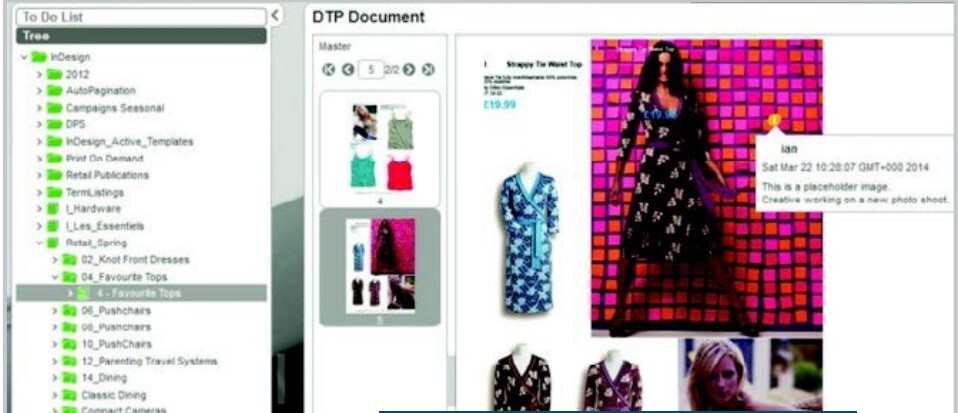
Enable users to navigate publication structures and view actual paginated pages, as well as products and assets on the page. Amendment notes can be added to a workflow to be forwarded to a designer who can then focus on creative elements while leveraging automated updates, avoiding multiple iterations for minor text edits. 

page-proof
Navigate and view paginated pages with Page Proof

Autopage

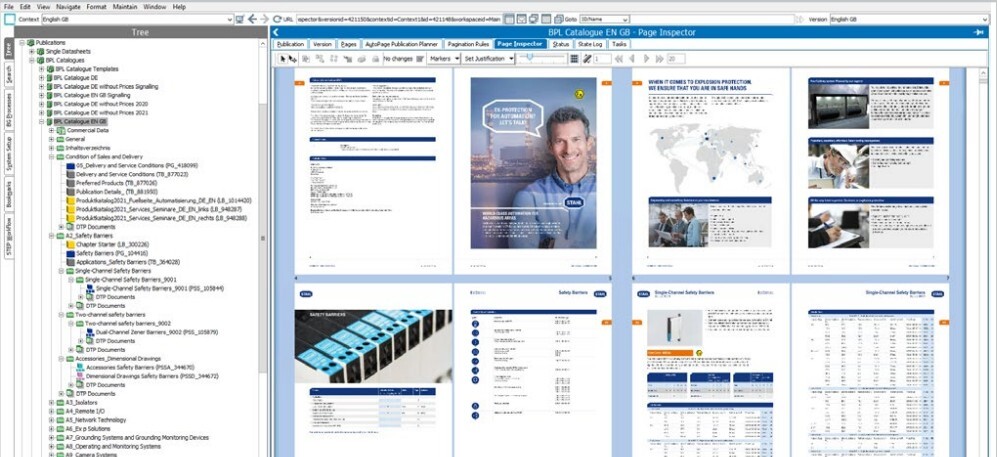
Enables rapid creation of extensive product catalogs. Using a high-level publication plan and advanced pagination rules for selection, positioning and flow of product presentation templates, it can produce hundreds or thousands of pages for inspection, or output to high-res PDF. It automatically checks and warns for oversets which are displayed in the Page Inspector for manual correction with other errors and stored to yield final pages. 

autopage
Autopage speeds the creation of high-volume catalog pages

Learn more about Print Publisher and Stibo Systems’ multidomain approach to master data management.

2